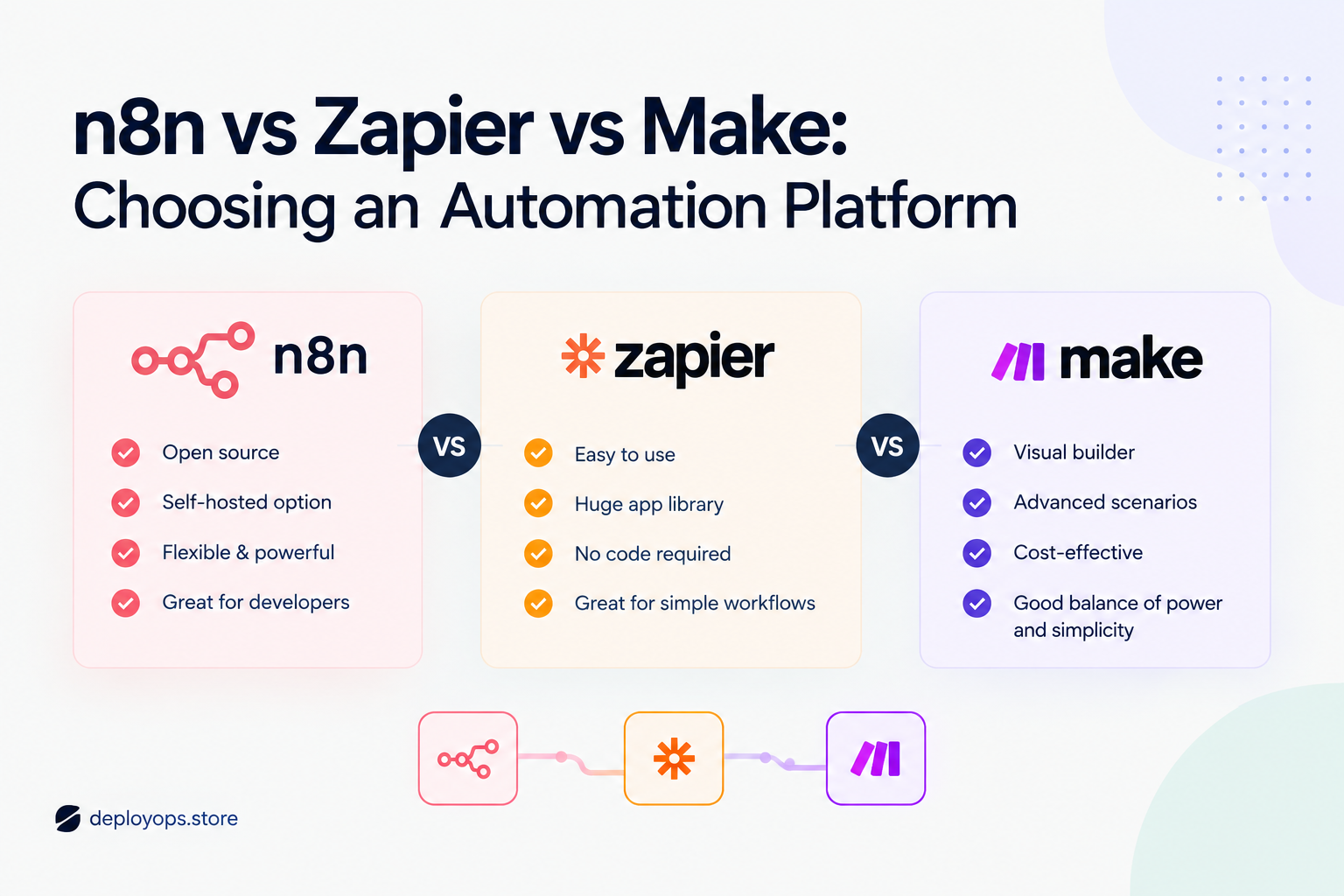
Zapier, Make and n8n all move data between your apps without anyone copying and pasting. They differ in how they charge, how much skill they expect and where your workflows run. This guide compares n8n vs Zapier vs Make on the points that change your bill and your weekends, with a platform picker and a cost calculator you can run on your own numbers.
The short answer
Choose Zapier for speed and reach
You want a working automation today, and most of your workflows are short chains of steps. Zapier has the gentlest learning curve and a very large app catalog. It bills per task, so long workflows that run often cost the most here.
Choose Make for visual control at a lower price
You need branching, loops and data handling, and you want a small monthly bill. Make is cheap at small scale and its canvas shows how data moves. Loops can burn through credits quickly, and the editor takes longer to learn than Zapier.
Choose n8n for control of cost and data
Someone on your team is comfortable with APIs or JavaScript. n8n bills per workflow run instead of per step, and its Community Edition is free to self-host. In return you take on hosting, updates and security if you do not use its cloud.
How this was researched: plan names, limits and prices come from third-party pricing reviews that read each vendor’s pricing page between June and October 2026, plus public interviews with the founders and CEOs. Vendors change plans often, so confirm any number on the official pricing page before you buy.
Find your fit in 60 seconds
Answer five questions about how you work. The picker scores Zapier, Make and n8n against your answers and explains the result. Nothing leaves this page.
- Who will build and maintain the workflows?
Me or a teammate, with no coding or technical background
Someone comfortable with logic, data fields and visual flowcharts
A developer or technical operations person
- How complex are the workflows?
Simple chains of two to four steps
Branches, loops over lists and data transformations
Custom API calls, code and AI agents
- How many times a month will your workflows run?
Under a few hundred
A few hundred to a few thousand
Many thousands
- Where must your data and workflows live?
A vendor’s cloud is fine
On servers I choose or control
- What matters most?
Fastest setup and the widest app coverage
The lowest cloud bill for complex workflows
Full control and no charge per step
Your match appears here
Answer all five questions. Five answers give a score for each platform, and the closest match is shown with the reasoning.
Start over
What each platform is
All three tools sit in the category called workflow automation or integration platform as a service. You pick a trigger, such as a new form entry, and then chain actions, such as adding a CRM record and sending a Slack message. The differences start with who each tool was built for.
Zapier: the fastest way to a first automation
Zapier uses a plain trigger and action model, and its guided editor is the easiest of the three to learn. Co-founder and CEO Wade Foster has framed the goal as putting automation within reach of ordinary teams.
“The thing we’re really excited about is bringing automation to the masses.”
Wade Foster, co-founder and CEO of Zapier, Mission Daily interview
In practice that means the largest app catalog of the three and built-in helpers such as Filters, Paths and Formatter that do not use up tasks. The trade-offs are limited custom scripting compared with Make or n8n, and cloud-only hosting.
Make: a visual canvas for branching logic
Make, formerly Integromat, lets you drag modules onto a canvas and watch data pass between them. That layout suits branching, routing and looping over lists. Make CEO Fabian Veit describes the platform as a visual, intuitive interface that lets people without coding skills build complex workflows, in his Unite.ai interview.
Paid plans include unlimited users, and the Router module uses no credits. The free plan runs a scenario at most every 15 minutes, while paid plans can run as often as every minute. Reviewers consistently rate Make as less intuitive for beginners than Zapier, which is the price of the extra control.
n8n: flexible, technical and self-hostable
n8n runs in n8n’s own cloud or on a server you manage. It uses a fair-code license, so it is source-available rather than classic open source. Founder Jan Oberhauser has been direct about that distinction.
“There’s open-source and there’s source-available.”
Jan Oberhauser, founder and CEO of n8n, Contributor podcast
That licensing choice is why the self-hosted Community Edition is free while some governance features need a paid license. The company states its mission as giving technical people the powers of a 10x developer, in its Series B announcement. That tells you who it is built for. Non-technical users can succeed with it, but expect a steeper start.
n8n vs Zapier vs Make at a glance
This table puts the differences that matter most to a buyer in one place. Prices are entry-level paid plans with annual billing first and monthly billing in brackets.
| n8n | Zapier | Make | |
| Best for | Technical teams, data control, AI agents | Non-technical teams that want speed | Visual builders with complex logic |
| What you pay for | Executions (one full workflow run) | Tasks (successful actions) | Credits (one per module action) |
| Free option | Self-hosted Community Edition, unlimited runs; cloud trial | 100 tasks a month | 1,000 credits a month |
| Entry paid plan | Starter, €20 (€24 monthly) for 2,500 executions | Professional, 19.99(29.99 monthly) for 750 tasks | Core, 9(10.59 monthly) for 10,000 credits |
| Hosting | Cloud or self-hosted | Cloud only | Cloud only |
| Custom code | Strong, including JavaScript | Limited, and code steps draw from the task pool | Limited, Code app costs 2 credits per second |
| Learning curve | Steepest | Gentlest | Medium |
| Users | Unlimited on cloud plans | Team plan allows up to 25 | Unlimited on paid plans |
| Steps that cost nothing | Every step inside a run | Filters, Paths, Formatter, Delay, Tables, Forms | Router and error-handler modules |
n8n vs Zapier vs Make pricing: the unit matters more than the price
The sticker price is the wrong number to compare. Each platform counts usage differently, so the same workflow can use three very different amounts of your allowance. Take a lead-routing workflow with one trigger and four actions that runs 1,000 times in a month.
How one run of a five-step workflow is counted
Dark cells are what each platform bills. The trigger is the first cell.
Zapier: 4 tasks
Trigger
Action 1
Action 2
Action 3
Action 4
Make: 5 credits
Trigger
Action 1
Action 2
Action 3
Action 4
n8n: 1 execution
The whole run counts once, however many steps it has
Over 1,000 runs that is about 4,000 Zapier tasks, 5,000 Make credits and 1,000 n8n executions. Those totals are my own arithmetic from each vendor’s counting rules. Zapier does not charge for triggers, and Make does count the trigger module as one credit.
n8n vs Zapier pricing
Zapier’s free plan covers 100 tasks a month. Professional starts at 19.99amonthonannualbilling(29.99 monthly) for 750 tasks, and Team starts at $69 a month on annual billing for 2,000 tasks and up to 25 users. At four billable actions per run, 750 tasks is under 190 runs. Since 2026, AI steps, code steps and the SDK draw from the same task pool.
n8n Cloud Starter costs €20 a month on annual billing (€24 monthly) for 2,500 executions, Pro costs €50 (€60) for 10,000, and the Business tier costs €667 (€800) for 40,000. The same 1,000 runs fit inside Starter with room to spare. Manual test runs from the canvas count toward the limit on cloud plans, so budget a little extra while you build.
Make vs Zapier pricing
Make is the cheaper way in. Free gives you 1,000 credits, and Core starts at 9amonthonannualbilling(10.59 monthly) for 10,000 credits, with Pro at 16(18.82) and Teams at 29(34.12) at the same credit level. For our five-step example, 10,000 credits cover about 2,000 runs, compared with roughly 190 runs on Zapier Professional.
Two details deserve attention. Extra credits bought as overage cost 25 percent more than credits included in your plan. And iterators multiply credits fast. One published example shows a scenario that loops over 400 rows and uses 1,601 credits in a single run.
n8n vs Make pricing
In cash terms Make Core is cheaper than n8n Starter, and 10,000 credits cover more five-step runs than you might expect. The gap closes as workflows get longer. A 20-action workflow uses about 21 Make credits per run, so 10,000 credits cover around 476 runs. On n8n it is still one execution per run, so the 2,500 included executions go much further.
Cost calculator: tasks, credits and executions
Enter one typical workflow and how often it runs. The calculator converts it into each platform’s billing unit and shows the entry plan that would cover it.
Actions per run, not counting the trigger 4
Runs per month 1,000
Billing
Annual
Monthly
Zapier
4,000 tasks a month
Above 2,000 tasks
See slider
Price depends on Zapier’s task slider. Check the pricing page for your volume.
Make
5,000 credits a month
Core, 10,000 credits
$9/mo
Pro and Teams include the same credits at higher prices and add features.
n8n
1,000 executions a month
Cloud Starter, 2,500 runs
€20/mo
Self-hosting the Community Edition has no license fee. Budget roughly $3 to $7 a month for a small server plus your own upkeep time.
Estimates for planning, not quotes. The calculator assumes every action is billable. In practice Zapier does not charge for Filters, Paths or Formatter, and Make does not charge for the Router, so real usage can be lower. Zapier and Make prices above the entry tiers depend on a volume slider on their pricing pages. Entry prices were read from third-party reviews in September and October 2026.
Best automation platform for small business
The best automation platform for small business is the one your team will keep maintaining after the first month. A cheaper tool that nobody understands costs more than a pricier one that works. Match the platform to the person who owns the workflows.
Make vs Zapier for solopreneurs
If you work alone and run a handful of workflows, start by counting runs. Under about 100 tasks a month, Zapier’s free plan is enough to validate an idea. Past that, Make’s free 1,000 credits and $9 entry plan give you more room per dollar, provided you are happy to learn a denser editor. Solopreneurs who value setup time above everything usually stay on Zapier until the bill forces a rethink.
n8n vs Zapier for small business teams with one technical person
When one teammate is comfortable with APIs, n8n becomes attractive quickly. Per-run billing keeps multi-step workflows predictable, and unlimited users and workflows on cloud plans mean growth does not raise the price. Zapier remains the better pick when the people building automations are in sales, support or operations and have no technical help.
Teams with no technical help
Choose Zapier first, and move heavy workflows later if cost becomes a problem. Many teams follow exactly that path, starting on Zapier for quick wins and migrating complex workflows to Make or n8n as volume grows. Expect to rebuild each workflow when you move, because the three tools use different building blocks. Pilot one workflow before committing the rest.
n8n vs Zapier for complex workflows and AI agents
Complexity is where the platforms separate. Zapier handles linear chains and light branching well, Make handles heavy branching and data shaping on a visual canvas, and n8n lets you drop into code or custom HTTP requests wherever the built-in nodes run out. All three can make custom API requests, but n8n makes it the easiest.
AI changes the cost picture too. Zapier counts AI steps against your task pool, and its Agents and Chatbots products are sold as separate add-ons. Make’s AI features use tokens and can run on Make’s AI provider or on your own model key. In n8n the meter is still executions, and recent plans added more AI builder credits while keeping cloud prices flat.
“The more agentic these workflows, the more imperfect they are.”
Wade Foster, CEO of Zapier, SaaStR
That caution is practical advice for any platform. Foster argues for keeping a person in the last step of important workflows, and for mixing predictable rule-based steps with agentic ones so the model is not left to guess.
n8n vs Make for AI agents
n8n suits teams that want to build agents themselves, because you can wire models, tools and business systems together and inspect every node. Make adds AI agents inside the same visual canvas, which Veit describes as bringing goal-driven decision-making into workflows. If you are not sure you need an agent at all, build the workflow with fixed steps first and add one AI step where judgment is genuinely needed.
n8n self-hosted vs cloud: what free really costs
The Community Edition has no license fee and no execution limit, which makes n8n the only one of the three with a free path at any volume. The cost moves from a subscription to your own time and a server.
- Server: roughly $3 to $7 a month for a small VPS. For business workflows, plan on at least 4 GB of RAM so the database and n8n have room.
- Updates: n8n ships updates every two to four weeks. Apply security fixes promptly rather than waiting for a quarterly routine.
- Backups and access: you own database backups, HTTPS certificates, access control and monitoring.
- Licenses: governance features, such as those in the Business tier, need license keys even when you self-host.
Security is a real consideration. Infosecurity Magazine ran a March 2026 headline about a critical flaw in n8n, so a patching habit matters. Self-host when you have infrastructure skills or a data-residency requirement. Do not self-host only to avoid a €20 monthly bill, because an hour of unplanned downtime can cost more than that.
Five mistakes that make automation cost more than it should
- Comparing sticker prices. A $9 plan and a $19.99 plan buy different units. Convert your workflow into tasks, credits and executions first.
- Automating before mapping. Write the steps and owners on paper. Duplicate steps are the fastest way to waste tasks and credits.
- Forgetting loops. One scenario that loops over a spreadsheet can use more credits in a run than a month of simple workflows.
- Going full auto too early. Keep a person in the last step of customer-facing workflows until you trust the output.
- Skipping the pilot. Rebuild one real workflow on the new platform before you move everything.
Frequently asked questions
Which is better, n8n, Zapier or Make?
None wins on every measure. Zapier is best for speed and app coverage, Make for visual control of complex logic at a lower price, and n8n for technical teams that want per-run billing or self-hosting. Use the picker near the top of this page to match your own situation.
Is n8n really free?
The self-hosted Community Edition has no license fee and no execution limit, but you pay for a server and handle updates, backups and security. n8n Cloud is paid and starts at €20 a month on annual billing for 2,500 executions.
Is Make cheaper than Zapier?
At entry level, yes. Make Core starts at $9 a month on annual billing for 10,000 credits, while Zapier Professional starts at $19.99 for 750 tasks. The units differ, so compare the cost of your own workflow using the calculator rather than the headline price.
Can I switch platforms later?
Yes, but expect to rebuild each workflow because the three tools use different building blocks. Many teams start on Zapier and move heavier workflows to Make or n8n as volume grows.
Which platform is best for AI agents?
n8n gives the most control for building agents and bills per run. Make adds AI agents inside its visual builder, and Zapier works well when you keep a human in the final step. Check how each platform meters AI usage before you scale.
How many tasks, credits or executions do I need?
Multiply the actions in your workflow by how often it runs. Zapier counts each successful action, Make counts each module including the trigger, and n8n counts the whole run once. The cost calculator above does this conversion for you.
Map the workflow before you pick the tool
Most overspending starts with an unmapped process. If you have a workflow question or want a second opinion on which platform fits it, visit DeployOps and ask.