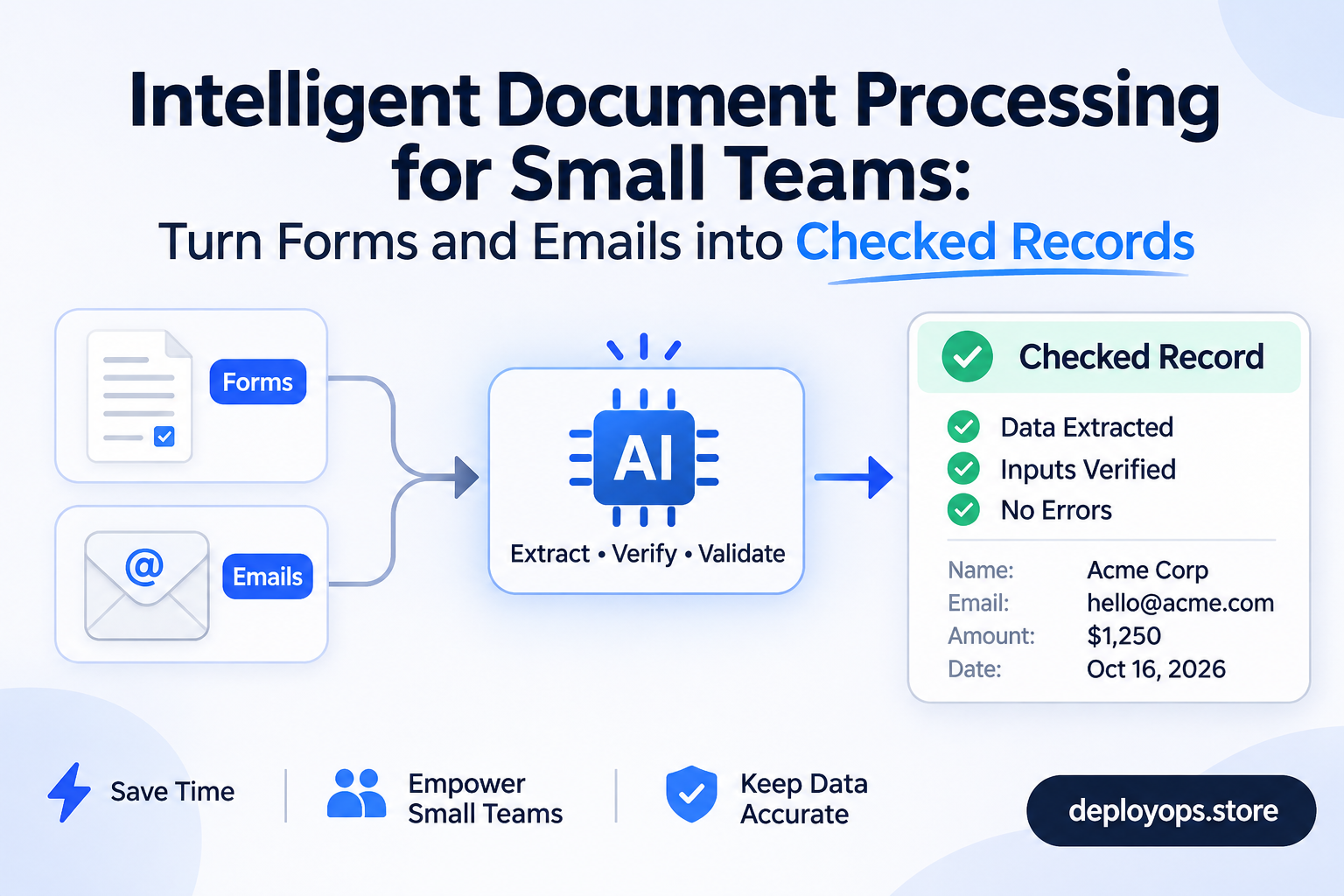
Intelligent document processing (IDP) is software that reads documents such as invoices, forms and emails, pulls out the fields you need, checks them against your rules and existing records, and sends clean data to the system where your team works. It goes beyond OCR because it works out what a document is and what it means, not only which characters are on the page.
For a small team, the practical goal is document intake automation. A form or email arrives, a checked record appears in your CRM or accounting tool, and a person reviews only the cases the software is unsure about. This guide explains how intelligent document processing works, how it compares with an email parser and plain OCR, what invoice processing automation tends to cost, and where human review belongs. Three interactive tools help you apply it to your own workflow.
What is intelligent document processing?
Intelligent document processing builds on OCR by adding machine learning and natural language processing. Where OCR converts the text in a scan or image into machine-readable characters, IDP interprets the content and its context, then validates and routes the result. ABBYY’s Slavena Hristova sums up the difference this way:
“IDP goes beyond basic character recognition.”Slavena Hristova, ABBYY
In ABBYY’s description, IDP uses OCR as one step. It then classifies documents, checks the extracted data against records, handles both structured and unstructured files, and improves over time from human feedback. That last part matters for small teams, because corrections your reviewers make become the training signal.
Plain OCR vs email parser vs intelligent document processing
These three tools overlap, and vendors sometimes use the terms loosely. This table shows where each one fits.
| Plain OCR | Email parser | Intelligent document processing | |
|---|---|---|---|
| What it does | Turns text in scans and images into editable text | Extracts set fields from incoming emails using rules | Classifies, extracts, validates and routes documents |
| Works best on | Clean, simple documents | Consistent, machine-generated emails | Mixed layouts, scans, attachments, free text |
| Checks the data | No | Only what your rules define | Yes, against rules and existing records |
| Typical output | Text file or searchable PDF | Spreadsheet row, CRM field, JSON | Validated record plus an exception queue |
| Main risk | Reads characters but misses meaning | Breaks when the email format changes | Confident wrong values without review |
Document intake automation vs document processing automation
Document intake automation covers the front door: capturing a form, email or attachment, sorting it and getting it into a queue. Document processing automation covers the full chain through extraction, validation and delivery into your systems. Many vendors treat the two as one product, and so do we in this guide. The distinction helps when you scope a project, because intake is often the cheapest step to automate and the one that saves the most reading time.
How intelligent document processing works: five stages
ABBYY’s overview describes the main steps as document input, OCR, classification and splitting, extraction and validation, and quality analytics. We group them into five stages for small-team workflows and add the review step explicitly. Select a stage to see what happens, what it looks like on a real task, what tends to go wrong and where a person should look.
1. Capture
Runs on its own
Accuracy depends on the document
No tool reads every document equally well. Parseur’s guide cites a Fraunhofer IAIS benchmark in which the best model scored 96.50% on clean digital invoices, 92.71% on scanned invoices and 87.46% on scanned receipts. That is a secondhand figure, so check the original paper before quoting it. The practical lesson is clear: a scan from a phone camera needs more review than a PDF exported from accounting software.
Email parser, OCR or intelligent document processing software?
The right tool depends on how varied your documents are, where the data has to go and how much a wrong value costs. Answer five questions and the finder suggests a starting point.
Automate data entry from email: when a parser is enough
An email parser automatically extracts data from incoming emails. Mailparser describes the typical setup: the tool reads your mailbox or gives you a forwarding address, applies rules to find the fields you want, and exports the result to a spreadsheet, database or CRM. Common uses include invoice numbers and totals from purchase orders, lead details from lead-provider emails, contact form submissions and tracking numbers from shipping notices.
This works well when the email is machine-generated and consistent, because the rules keep matching. It struggles when senders write in their own words or attach files in different formats. In our experience, that is the point where teams move from a parser to intelligent document processing software or a custom workflow.
Intelligent document processing software: what to ask vendors
When you compare tools, ask each vendor these questions and test the answers on a sample of your own documents:
- What accuracy do you get on my documents, measured per field and not per page?
- Do you show a confidence score for each field, and can I set thresholds per field?
- What does the review screen look like, and can reviewers see only flagged fields?
- Which of my systems can you write to directly, and what happens when a write fails?
- How is pricing set (per page, per document or per seat), and what happens at my peak month?
- Where is my data stored, for how long, and can I export everything if I leave?
Invoice processing automation: what the numbers say
Invoices are the most common first project because the fields are well defined and the cost of manual entry is easy to measure. These benchmarks come from published research as reported by Lido and Parseur. Both are software vendors, so treat their summaries as a guide and confirm the originals.
| Measure | Figure | Source as reported |
|---|---|---|
| Median cost to process one invoice | $21.40 | APQC, as cited by Lido |
| Cost for top-quartile organizations | $10.18 | APQC, as cited by Lido |
| Cost where workflows are mostly manual | $15 to $40 | Ardent Partners, as cited by Lido |
| Invoices that become exceptions (average AP team) | 14% | Ardent Partners, as cited by Parseur |
| Invoices that become exceptions (best-in-class) | 9% | Ardent Partners, as cited by Parseur |
Notice the exception rate. Even the best teams send roughly one invoice in eleven to a person. Invoice processing automation reduces typing, but it does not remove the need for a review path. Plan for that path from the start.
What could document processing automation save you?
Enter your own numbers. The calculator compares your current manual time with the time left after automation, where only exceptions reach a person.
210 documents a month would reach a reviewer at these settings.
The default pass rate of 65% sits inside the 60% to 75% straight-through range Parseur suggests as a target after about three months of tuning. That range is a vendor recommendation, not an independent standard. The result excludes software cost, setup and the time to maintain the workflow.
Where human review belongs in document processing automation
Automation fails quietly when no one checks it. Parseur’s guide on human-in-the-loop document workflows gives a clear framework, and we use a version of it when we scope projects. Our separate guide on human in the loop AI covers the wider pattern for agent workflows.
Set confidence thresholds by field
A confidence score tells you how sure the model is, not whether it is right. Parseur puts it bluntly:
“Confidence is not correctness.”Parseur, human-in-the-loop best practices
Set a separate threshold for each field based on the cost of an error. Parseur suggests starting around 0.85 to 0.90 for low-risk metadata and 0.95 to 0.98 for financial fields, and reviewing every change to bank account details. Then test those thresholds on 500 to 2,000 of your own past documents, group the results by confidence band and measure the real error rate in each band.
Use three lanes, not one pile
- Straight-through: every field clears its threshold and the business rules pass. No one touches it.
- Field-level review: one or two fields are uncertain. A person checks only those.
- Full manual handling: the document is unreadable, unfamiliar or fails a hard rule.
Some rules should fire whatever the confidence score says: duplicate invoice numbers, failed three-way matches and changed bank details. Parseur’s advice on the review screen is worth repeating:
“Show the flagged fields, lock the rest.”Parseur, human-in-the-loop best practices
Asking a reviewer to re-verify 24 correct fields trains them to approve without reading. Show the two fields in doubt, explain why they were flagged and keep the review under about 45 seconds.
Sample what passes automatically
Have a senior person audit a random sample of auto-approved documents, about 5% according to Parseur. It is the only check that finds a threshold set too low. Weight the sample toward unusual suppliers and layouts, because that is where errors hide. Track how often reviewers override each field. If they accept nearly everything for a field, its threshold is probably too cautious, and if they change it often, the extraction needs work.
A worked example: from form submission to checked CRM record
DeployOps scopes workflows like this under its Bespoke Enterprise Agent, which covers custom connections to APIs, databases and internal tools, multi-step decision mapping and approval rules. The homepage example is simple: a form submission becomes a checked CRM record and a draft reply for approval. Here is how the stages map onto that task.
- Form or email arrivesCaptured automatically
- Classify the requestEnquiry, support or invoice
- Extract the fieldsName, company, need, dates
- Check against the CRMDuplicates, missing fields
- Approve the draft replyPerson decides before sending
Extraction and classification run unattended because nothing leaves the building. The CRM check is where rules do the work, for example flagging a contact that already exists. The reply is the gate, since a customer will see it and a sent message cannot be recalled. Each step has defined inputs, decisions and actions, agreed before the build, with a rollback path if something goes wrong. That is how we describe scoping on the site, and the same logic applies whichever tool you use.
Pre-launch checklist for document processing automation
Tick each item as you confirm it for your own workflow.
Frequently asked questions
What is intelligent document processing?
Intelligent document processing is software that reads documents, extracts the key fields, validates them against rules and records, and sends clean data to your systems. It combines OCR with machine learning and language models, and it improves from human corrections.
What is the difference between OCR and intelligent document processing?
OCR converts text in images and scans into machine-readable characters. Intelligent document processing uses OCR as one step, then classifies the document, extracts meaning, checks the data and routes it through a workflow.
Is an email parser the same as intelligent document processing?
No. An email parser extracts set fields from incoming emails using rules, which works well for consistent, machine-generated messages. Intelligent document processing handles varied layouts, attachments and free text, and checks the extracted data.
How accurate is intelligent document processing?
It depends on the document. A benchmark reported by Parseur found 96.50% on clean digital invoices, 92.71% on scanned invoices and 87.46% on scanned receipts. Test any tool on your own documents and use human review for low-confidence fields.
How much does invoice processing automation cost?
Software pricing varies by vendor and volume. For comparison, APQC data cited by Lido puts the median manual cost at $21.40 per invoice, and Ardent Partners figures put mostly manual workflows at $15 to $40. Add setup, integration and review time to any quote.
What is document intake automation?
Document intake automation captures incoming forms, emails and attachments, sorts them and sends them to the right queue or system without manual handling. It is usually the first stage of a wider document processing workflow.