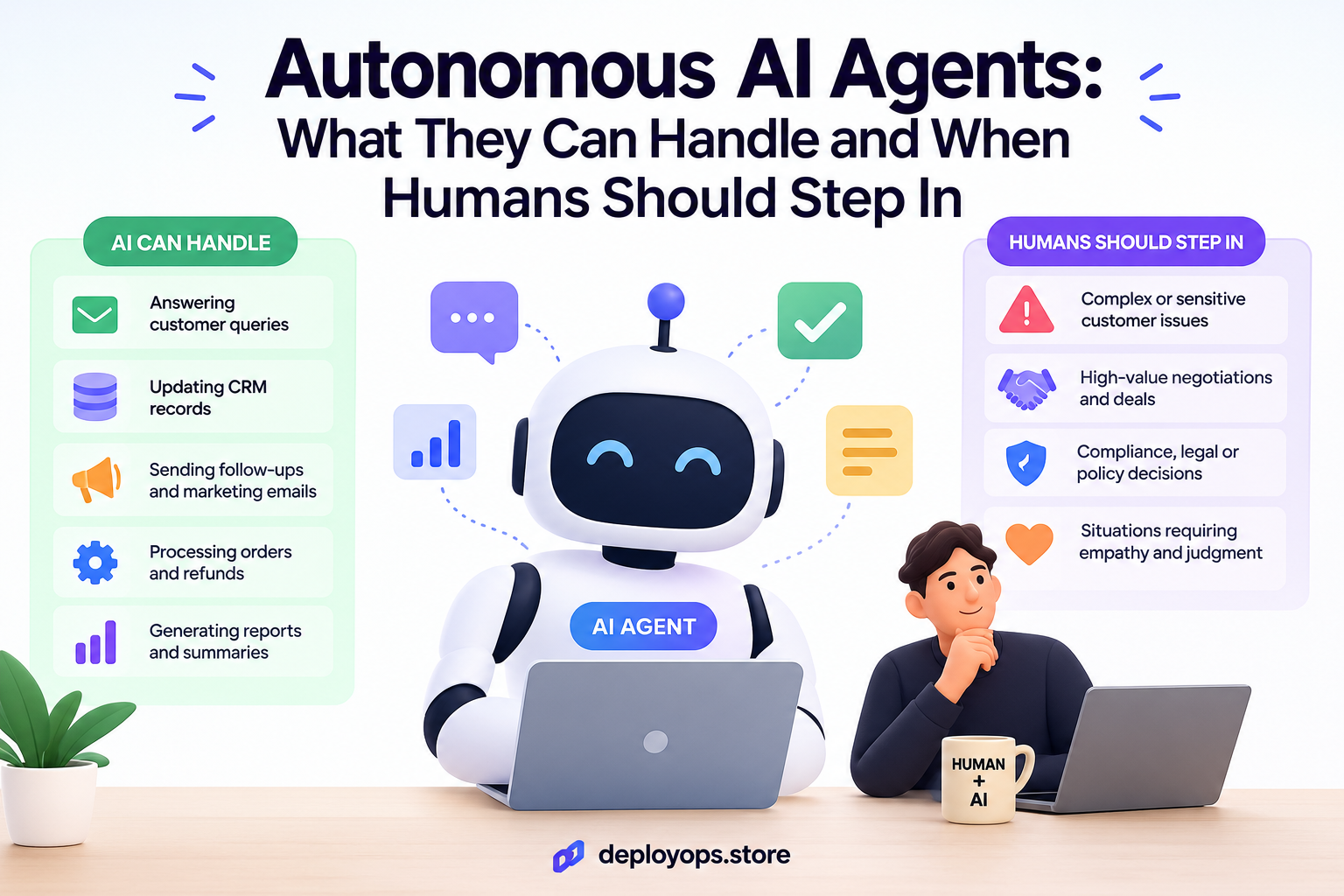
Autonomous AI agents can plan, use tools and finish multi step tasks on their own. They work best on repeatable, low risk, reversible jobs. Humans should step in when an action is costly, hard to undo, legally sensitive or unclear. Use the interactive tool below to check where your task falls.
Every team now asks the same question: how much can we trust autonomous AI agents to run on their own? The honest answer is “it depends on the task.” An agent that sorts support tickets is a very different bet from one that issues refunds or edits a production database.
This guide explains what autonomous AI agents are, how autonomous AI agents work, where they deliver real value for business, and the exact moments when a person should take over.
What Are Autonomous AI Agents?
Autonomous AI agents are software systems built on a large language model that pursue a goal with limited step by step instruction. You give them an outcome, such as “reconcile this week’s invoices.” They decide the steps, call tools, check the results and keep going until the job is done or they get stuck.
That is different from a chatbot, which answers one prompt at a time, and from a fixed automation, which follows a script you wrote in advance. An agent chooses its own path. That freedom is the source of both its value and its risk.
How Autonomous AI Agents Work
If you want to understand how autonomous AI agents work, think of a loop rather than a single answer. The same loop sits behind almost every agent, whether it handles sales research or IT tickets.
The core loop: goal, plan, act, check
- Goal: a person or system sets the objective and the limits.
- Plan: the model breaks the goal into steps.
- Act: it calls tools such as search, a CRM, email or a code runner.
- Observe: it reads what came back and decides whether the step worked.
- Repeat or stop: it continues, asks for help, or finishes.Memory, tools and guardrails
Three supporting parts decide how well the loop performs. Memory lets the agent keep context across steps. Tools give it hands in the real world. Guardrails, such as spending caps, permission scopes and blocked actions, keep it inside safe limits. In practice, guardrails matter more than model size for business safety.
Autonomous AI Agents for Business: What They Can Handle
For autonomous AI agents for business, the sweet spot is work that is frequent, rules based, easy to verify and cheap to reverse. Here is where teams report the clearest wins.
| Task type | Examples | Autonomy level |
| Triage and sorting | Tagging tickets, routing leads, labeling documents | High, run alone |
| Research and summaries | Competitor scans, meeting notes, report drafts | High, spot check |
| Data entry and reconciliation | CRM updates, invoice matching | Medium, sample review |
| Customer replies | Order status, FAQ answers, follow up drafts | Medium, approve edge cases |
| Money and contracts | Refunds, payments, legal terms | Low, human decides |
Notice the pattern. The more an action touches money, law or a customer relationship, the more a person should stay in the loop. That is the heart of running autonomous agents with human oversight.
Autonomous AI Agent Workflows That Work in Practice
Most reliable autonomous AI agent workflows are simpler than the demos suggest. Anthropic’s engineering guidance on building effective agents makes the point that you should start with the simplest solution and add complexity only when results demand it. Many problems need a fixed workflow with one or two model calls, not a fully free agent.
Workflow or agent: which should you pick?
- Use a workflow when the steps are known in advance and consistency matters.
- Use an agent when the path cannot be predicted and the model must decide what to do next.
- Mix both: a fixed workflow with one agent step inside it is often the safest design for autonomous AI agent workflows in production.
Example: a refund request
The agent reads the request, checks order history and drafts a reply. For refunds under a set amount with a clear policy match, it can finish alone. For larger or unusual cases, it stops and sends a summary to a person. The workflow is autonomous for the easy 80 percent and supervised for the risky 20 percent.
When Humans Should Step In
Good autonomous agents with human oversight do not rely on luck. They define the moments when a person must act. Step in when any of these appear:
- The action is hard to undo, such as sending money, deleting data or publishing publicly.
- The stakes are high, including large payments, legal commitments or safety.
- Sensitive data is involved, such as health, identity or financial records.
- The agent is unsure, the request is vague, or its tools return conflicting results.
- The case is new, meaning nothing like it appeared in testing.
Regulation points the same way. The EU AI Act requires effective human oversight for high risk AI systems, and the NIST AI Risk Management Framework asks organizations to define clear roles and accountability for AI decisions.
How to Design Autonomous Agents With Human Oversight
Oversight works when it is designed, not added later. Use this short checklist for any agent you deploy.
- Name an owner. One person is accountable for every agent decision type.
- Set approval points. Define which actions need a human click before they run.
- Build an escalation path. The agent must know who to contact and what to send them.
- Log everything. Keep a record of plans, tool calls and outcomes for audits.
- Review and widen autonomy slowly. Start strict, measure error rates, then loosen limits where the data supports it.
A simple “decision card” with three fields (Owner, Approval point, Escalation path) for each agent action prevents most confusion about who is responsible when something goes wrong.
Common Mistakes to Avoid
- Giving broad permissions on day one. Start with read only access and expand.
- Skipping evaluation. Test on real cases, including strange ones, before launch.
- No stop condition. Agents without step or cost limits can loop and burn budget.
- Treating oversight as a bottleneck. Review only the risky slice, not everything.
Frequently Asked Questions
What are autonomous AI agents?
Autonomous AI agents are software systems that pursue a goal by planning steps, using tools, checking results and adjusting, with little step by step instruction from a person.
Can autonomous AI agents replace employees?
Not fully. They handle repetitive, low risk, reversible tasks well, but people should own decisions that are costly, irreversible, legal or ambiguous.
When should a human step in?
Step in when an action is hard to undo, involves money or sensitive data, or when the agent’s confidence is low or the request is unclear.
Are autonomous agents with human oversight safer?
Yes. Approval points and escalation paths catch errors before they reach customers, and they create a clear audit trail.
Conclusion
Autonomous AI agents are powerful, but they are not a replacement for judgment. Let them run alone on frequent, low risk, reversible work. Keep people in charge of costly, sensitive and unclear decisions. Start with one narrow workflow, define the owner, approval point and escalation path, measure the results, and expand autonomy only as trust is earned.